
Related Tables View
The Related Tables view is a list view that can be used to visualize all foreign-key relations of the selected table.
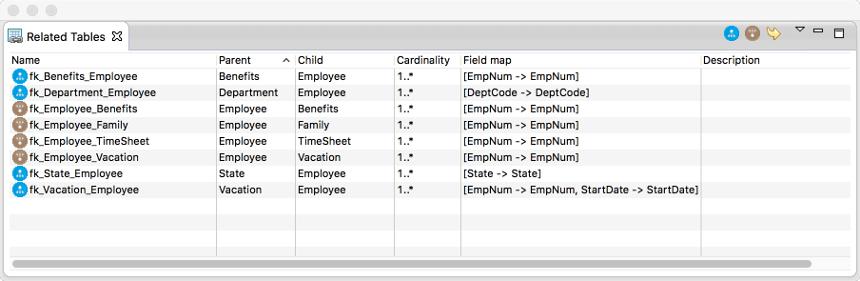
Double click on a relation record to edit its properties using the properties editor dialog, adding new relations is only possible by drawing a connection between two tables on the digram canvas.
There are a number of additional menu entries with following functionality:
|
Filter out relations that have the selected table as parent. |
|
Filter out relations that have the selected table as child. |
|
Select the related table in the diagram editor, this might open a new editor if related table is not visible on current diagram canvas. |


