
Import Project Database
Import OpenEdge Project Database wizard
This wizard helps you import a database model from one of the databases configured for an OpenEdge project by creating a new OpenEdge database diagram or updating an existing database diagram in the workspace.
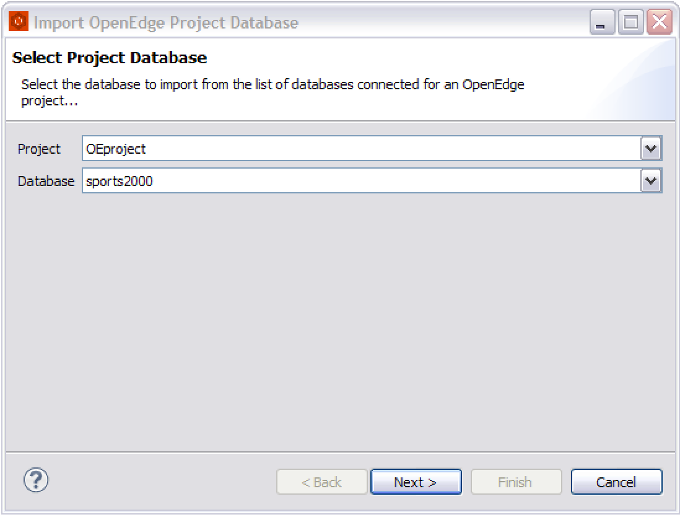
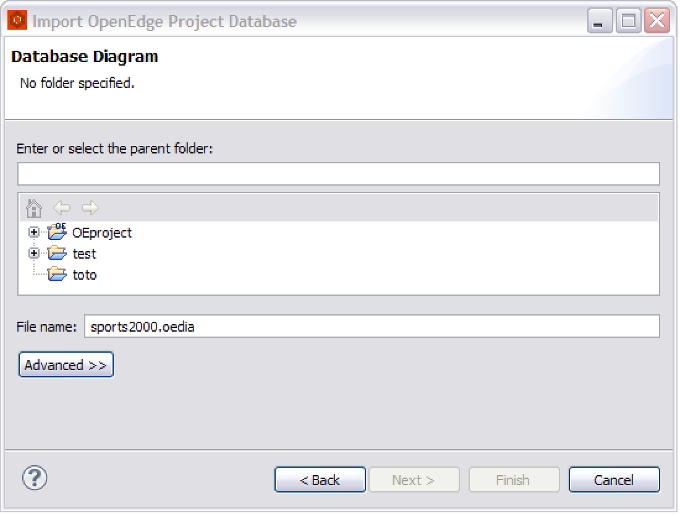
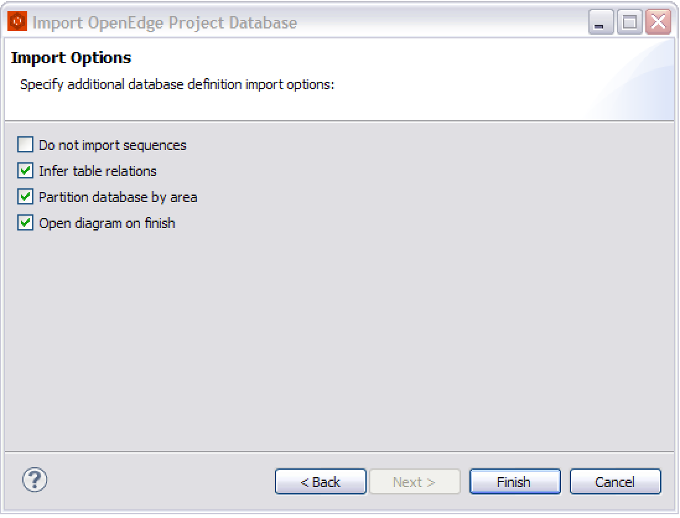
Here is how the Import OpenEdge Project Database wizard looks like:
Import OpenEdge Project Database Fields
Page |
Field |
Description |
Default |
Project Database |
Project |
The workspace OpenEdge project for which you want to load the database model from. |
|
Database |
The project database to be imported into the diagram. |
||
Database Diagram |
Enter or select the parent folder |
The resource in which the database diagram file is located, or a new file will be created. Type or browse the list to select the resource. |
|
File name |
The name for the new database diagram file, including the file extension. |
||
Import Options |
Do not import sequences |
Skip importing database sequences from the database definition file. |
Depending on preference settings. |
Infer table relations |
Try to infer the relations between database tables using primary key information. |
Depending on preference settings. |
|
Partition database by area |
If database areas are defined each table will be created in area's corresponding partition. |
Depending on preference settings. |
|
Open diagram on finish |
Whether or not to open the database diagram after import completes. |
Depending on preference settings. |
Diagram exists confirmation
If the database diagram file selected already exists in the workspace the following prompt appears:
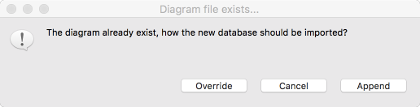
- Override, the database diagram content is completelly overrided with model of database being imported
- Cancel, the import process stops and the database diagram file remains unchanged
- Append, the database model being imported is added into existing database diagram. If the diagram is not empty (it already has tables, areas or partitions defined) the imported database model will be added as a new database in the diagram, otherwise the diagram's root database is updated.